Change App Store country
How to get an app that’s not available in your region
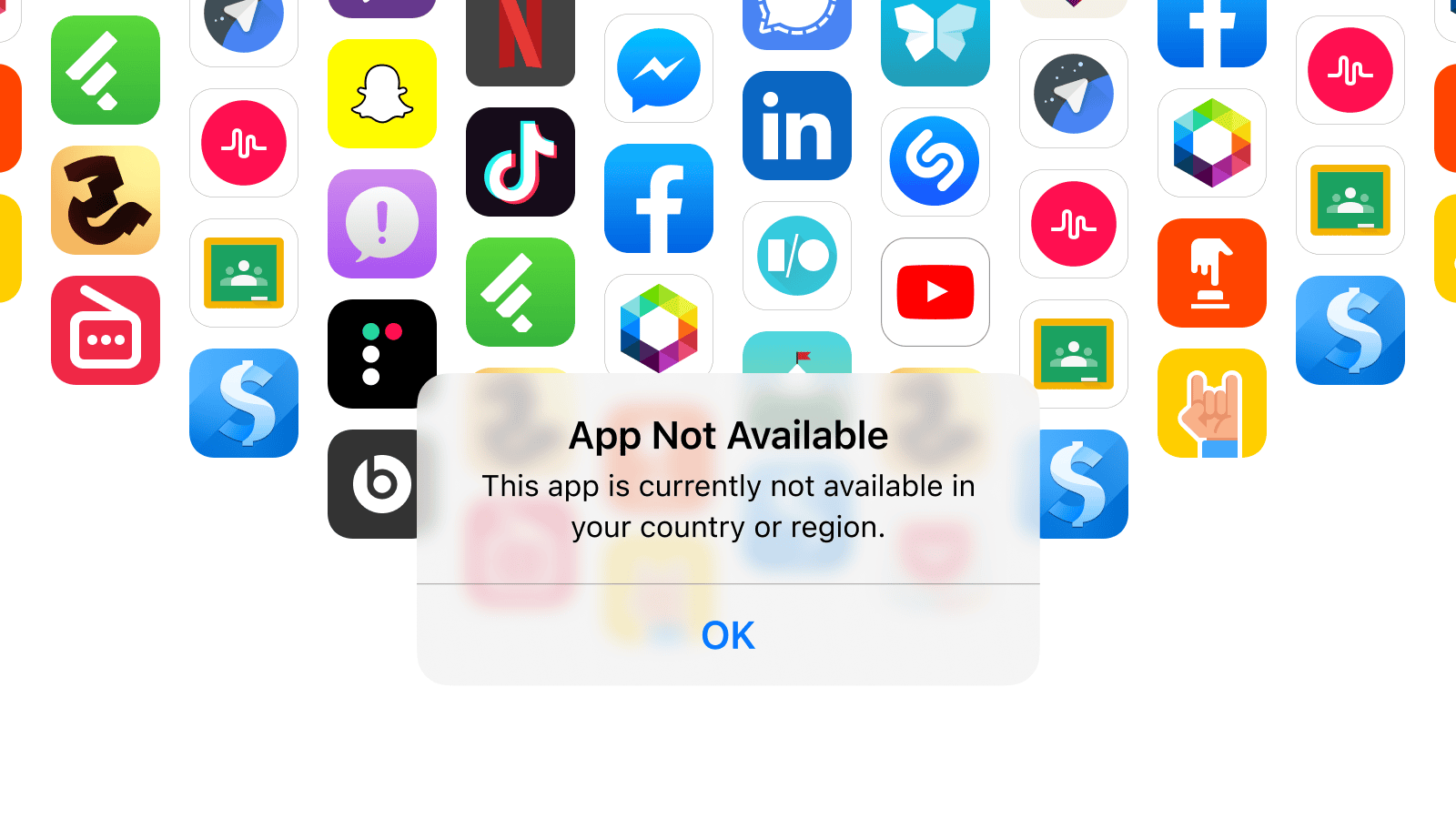
Why you might want to change your App Store country
Changing your region gives you access to apps that are not available in your current App Store:
- Streaming services
- Games
- Messengers
- VPN services
If an app was previously installed but has been removed from your country’s App Store, you will be able to reinstall and update it after changing your region.
It is no longer possible to top up your balance in some App Stores or pay for subscriptions through mobile operators. Apple has made it easier to change regions — you can now do it on your existing account.
There are two options
Change App Store region on iPhone for an existing account
Recommended
Suitable for most users. An additional phone number is not needed. Requirements: zero App Store balance, no active Apple Music subscription, and you are not part of a Family Sharing group.
Create an additional Apple account
Best option if you have active subscriptions (including Apple Music) you don’t wish to cancel. You’ll need a phone number that is not linked to another Apple account.
Most convenient if you don’t have App Store subscriptions.
Before changing region, make sure three conditions are met
Your App Store balance must be zero.
App Store → Profile icon → User name
Spend it on purchases before changing your region.
Reach out to Apple Support at getsupport.apple.com and ask them to manually deduct the balance. Funds will not be refunded.
Most subscriptions do not block region changes — they continue working until the paid period ends. You can resubscribe after switching regions; prices may vary.
Exception — Apple Music. If your Apple Music subscription is active, you won’t be able to change region. Cancel and wait for the subscription to end.
Data in iCloud+ will not be deleted even after subscription ends. Apple may make exceptions for certain countries: photos, videos, and documents will remain available for download. New data will stop syncing only if you exceed your storage limit.
Settings → [Your Name] → Family → Your Name → Stop Family Sharing
Remove each participant, then disband the group.
After changing your region, you can create a new group.
Creating an additional Apple ID
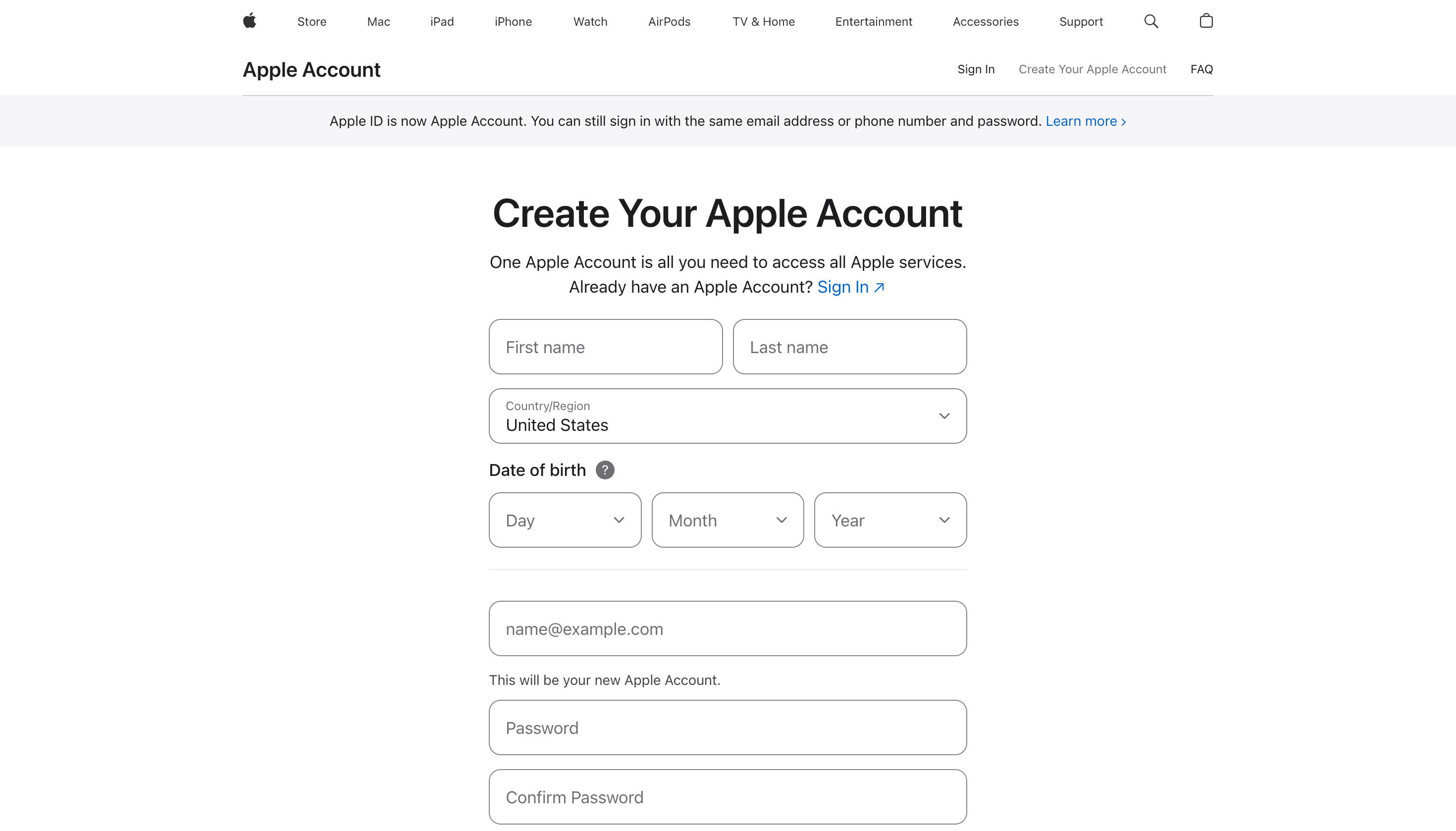
Step 1. Create a new Apple Account (Apple ID) in another region
- Go to https://appleid.apple.com/account.
- Enter any first and last name and select the desired country. We recommend United States because most apps are available there.
- Enter an email address that is not linked to any Apple Account. You’ll receive a confirmation code.
- Enter a phone number that is not associated with an Apple Account or used as a payment method. You’ll receive a confirmation code.
- Wait — it may be a temporary issue
- Enter a different number — this one may have already been used
- Sign up using another Apple service: iCloud website, Mail, or Music
- Contact Apple Support
- Confirm your email address and phone number and click Continue.
Option 1 (most reliable). Buy a physical SIM card or an eSIM. You can purchase an eSIM directly from your mobile operator’s app — no need to visit a store.
Option 2. Use a virtual number service. For example, OnlineSim (offers free numbers, but someone may have already linked them to an account).
Be cautious when using third-party services and read their privacy policies. Do not set an Apple Account with a linked virtual number as your main account. Such an account cannot be recovered via SMS.
If you receive the error message “Verification codes cannot be sent to this phone number at this time. Please try again later”, try the following:
Done! Your new Apple Account is ready to be linked to the App Store.
If you receive the error message “Could not create account. Your account cannot be created at this time”, try the following:
- Enter a different email address, preferably Gmail
- Visit https://appleid.apple.com/account from a different device. You can use Android or Windows
- Sign up using another Apple service: iCloud website, Mail, or Music
- Contact Apple Support
Creating an additional Apple ID
Step 2. Link your new Apple ID to the App Store
- Open Settings and click your name.
- Tap Media & Purchases → Sign Out. This will sign you out of the App Store only — you will remain signed in to your Apple Account on the device.
- Tap Media & Purchases again and select ‘Not [your name]?’. You’ll be prompted to sign in with another Apple Account — enter the credentials for your new account.
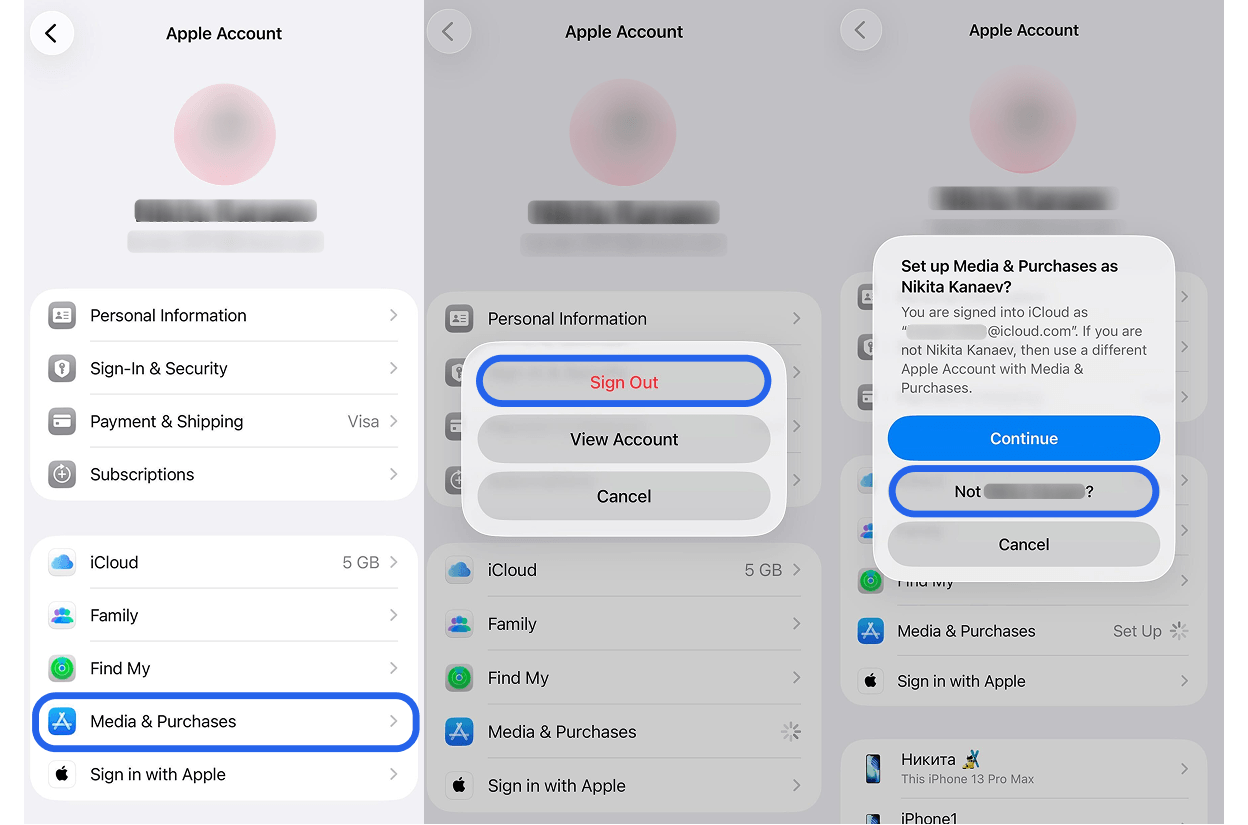
All done! You can access previously unavailable apps and receive updates. Switch between your accounts anytime.
Important: If an app is already installed, reinstall it using the App Store of the new Apple Account — otherwise you won’t be able to update it in the future.Changing region in your existing account
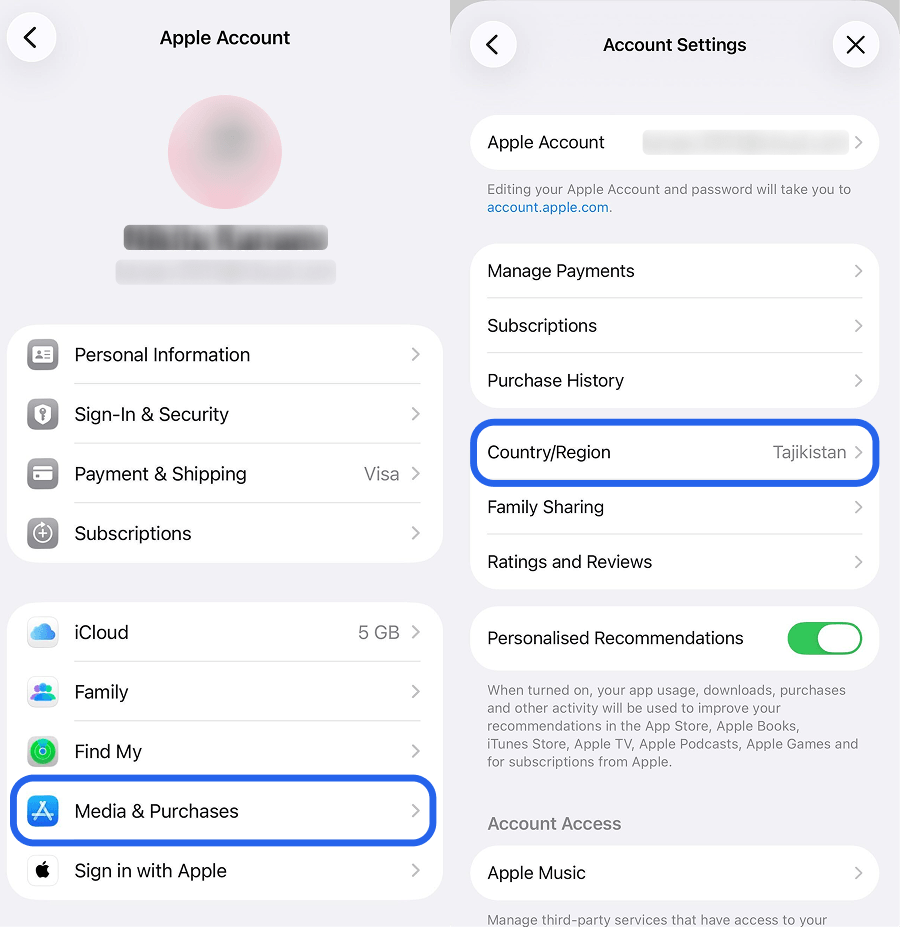
Changing region in your existing account
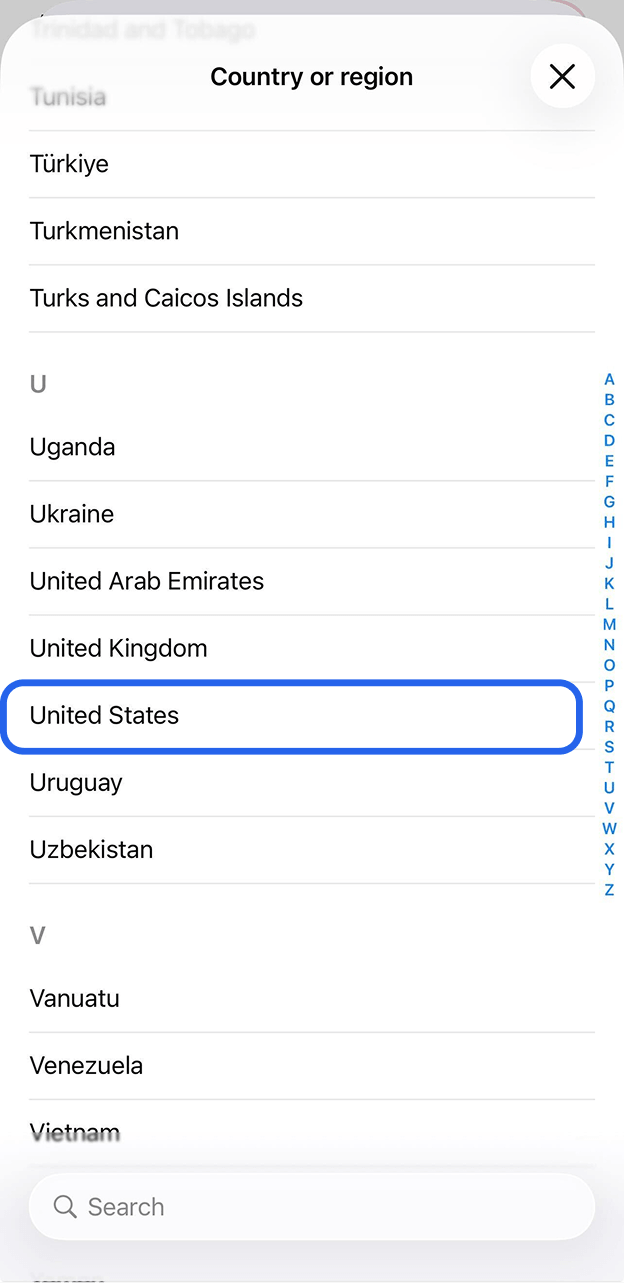
Step 2. Pick your new country or region
- Choose the country you need from the list. Below, we provide a list of countries where most apps are available and region switching works smoothly.
- USA — widest selection. New apps appear here first, Apple Intelligence is available.
- Turkey, Kazakhstan, Georgia, Serbia, Azerbaijan.
- Tap Continue and accept the terms and conditions.
Changing region in your existing account
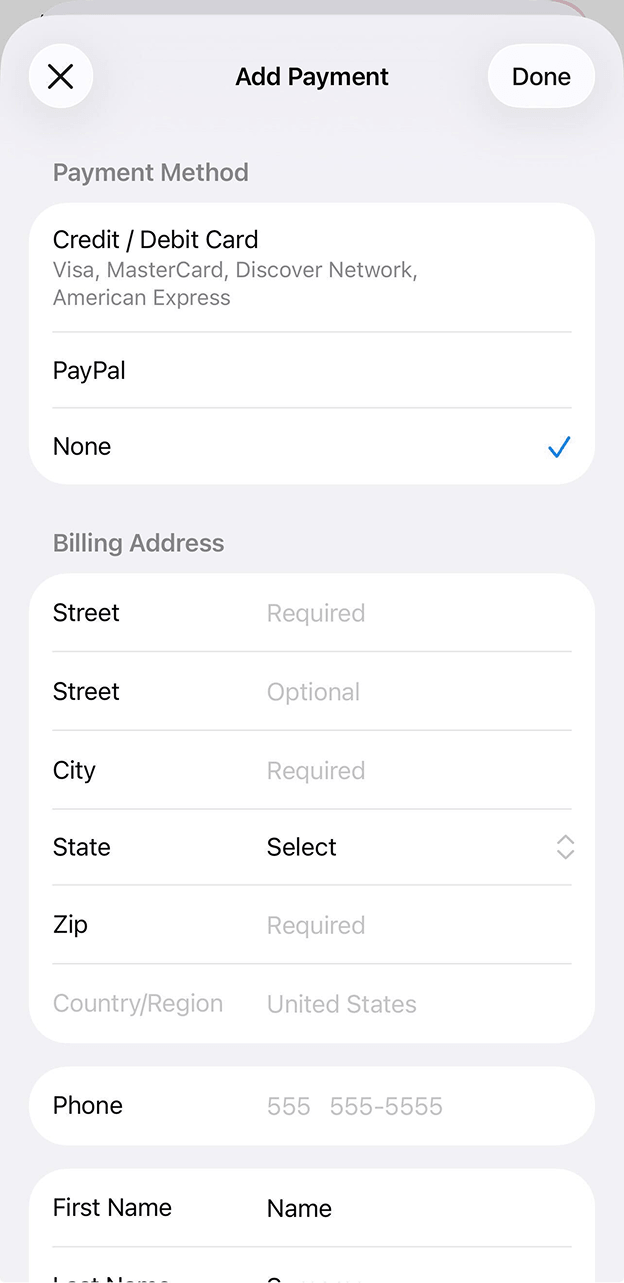
Step 3. Enter your payment method and billing address
Changing region in your existing account
Great! Now you know how to change your region on iPhone and access apps in the App Store.
- Payment on the service’s website — the main way. Most services allow payment directly on their website: via cards, cryptocurrency, and other methods.
- International card — if you have one, you can add it to the App Store and pay directly in the app.
- Gift cards — you can purchase gift cards for the required region from third-party sellers.
- Balance is not zero — reset your balance by contacting Apple Support at getsupport.apple.com.
- Active Apple Music subscription — cancel and wait for the subscription to end.
- Family Sharing is active — leave the Family Sharing group.
- Message “developer removed the app” — it means that the app was installed before you changed region. After switching, old apps won’t update — delete them and download again from the App Store.
- It’s been less than 90 days since last region change — wait until the period has passed before changing again.